

ChatGPT business profile: launched by OpenAI on November 10, 2026

Partner · Strategy, advertising and measurement
The ChatGPT business profile, launched by OpenAI on November 10, 2026 and managed from Business Hub, lets a business claim the profile ChatGPT shows about it, correct its information and see how often ChatGPT references its website. It is not a backlink: the profile is displayed inside ChatGPT, with no public page Google could read, so the follow or nofollow question doesn't apply. It doesn't rank the business higher in answers either: OpenAI says so itself. What it gives you: accurate information, a blue checkmark that shows the profile is really yours, and numbers that come from ChatGPT itself rather than estimates.
- You gain three things: accurate information about your business, a blue checkmark and insights on your mentions and clicks.
- No backlink: Google doesn't see the link to your website. Its value is in the people who click.
- No ranking boost: according to OpenAI, the profile guarantees neither higher placement nor sales.
- Since November 19, 2026, an ecommerce or online service business in Canada can claim its profile and publish an agent. Local stores and restaurants have to wait.
On this page
What the profile looks like in ChatGPT
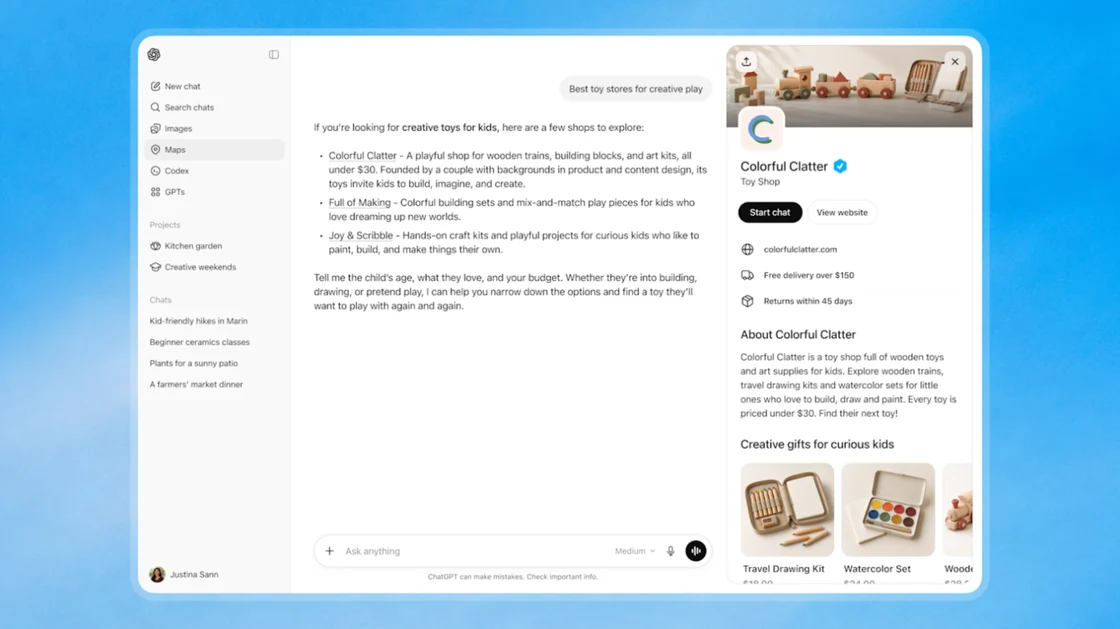
When ChatGPT names a business in an answer, the person can open its profile in a panel to the right of the conversation. They see the logo, the category, the website address, the delivery and return policies, a description and, for a store, its products. Two buttons sit at the top of the profile: "Start chat," which opens the business's agent if it has one, and "View website," which leads to the site.
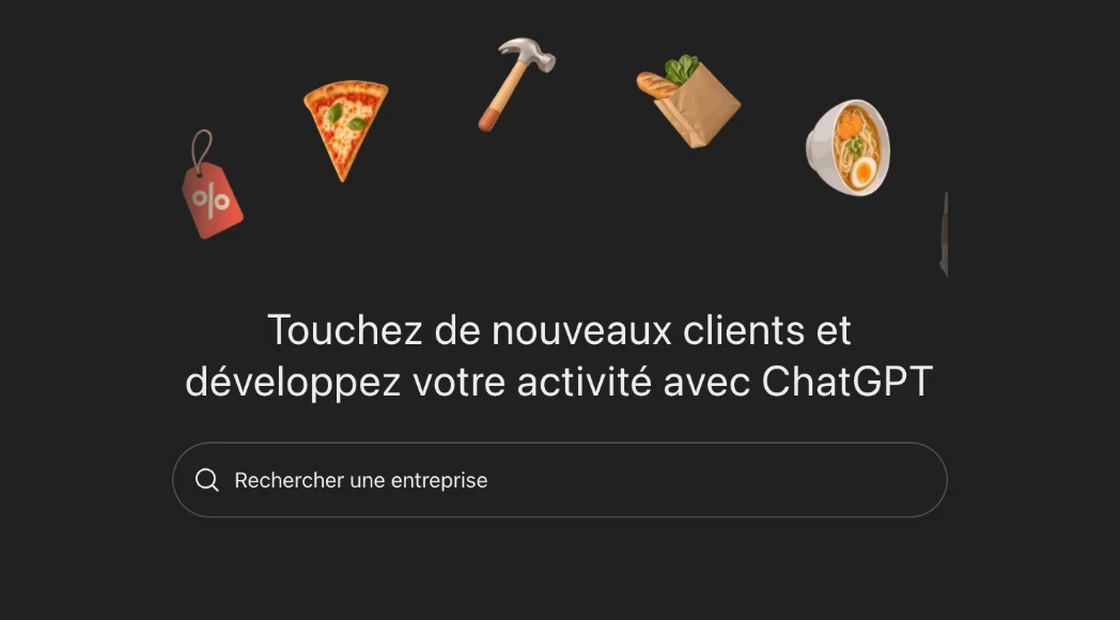
Everything is managed in Business Hub, a space you open from the ChatGPT sidebar. Its home screen asks you to search for your business by name.
What the profile gives a business
Accurate information
You correct your website, description, category, logo, cover photo and delivery and return policies yourself. A store can add a product feed with its prices and availability. OpenAI reviews every change before publishing it.
A blue checkmark
Once your identity is verified, the profile shows a blue checkmark. It tells customers the profile is managed by the business itself.
Insights
Business Hub shows your mentions, profile views and website clicks, along with the topics of the conversations where you appear. For an online business, a mention only counts when ChatGPT references its website. The brand name alone doesn't count.
An agent, for some businesses
An eligible ecommerce or online service business can publish an agent: an assistant that answers customer questions with its own information, in a separate conversation clearly labeled as such. It doesn't sell anything itself: it sends people to your website to buy or book. Since November 19, 2026, it is available outside the United States.
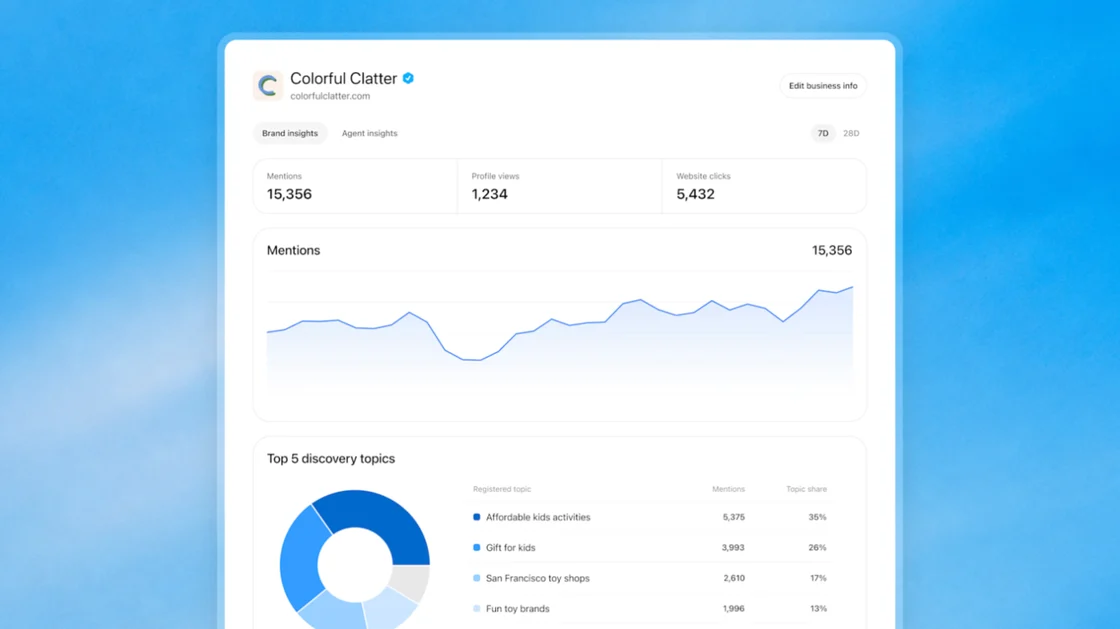
A click is not a visit: the dashboard tooltip says so itself. Insights never show the questions people asked, only topics. Your visits, leads and sales are still measured in GA4, where ChatGPT links arrive with the utm_source=chatgpt.com parameter (except during the October 2026 bug).
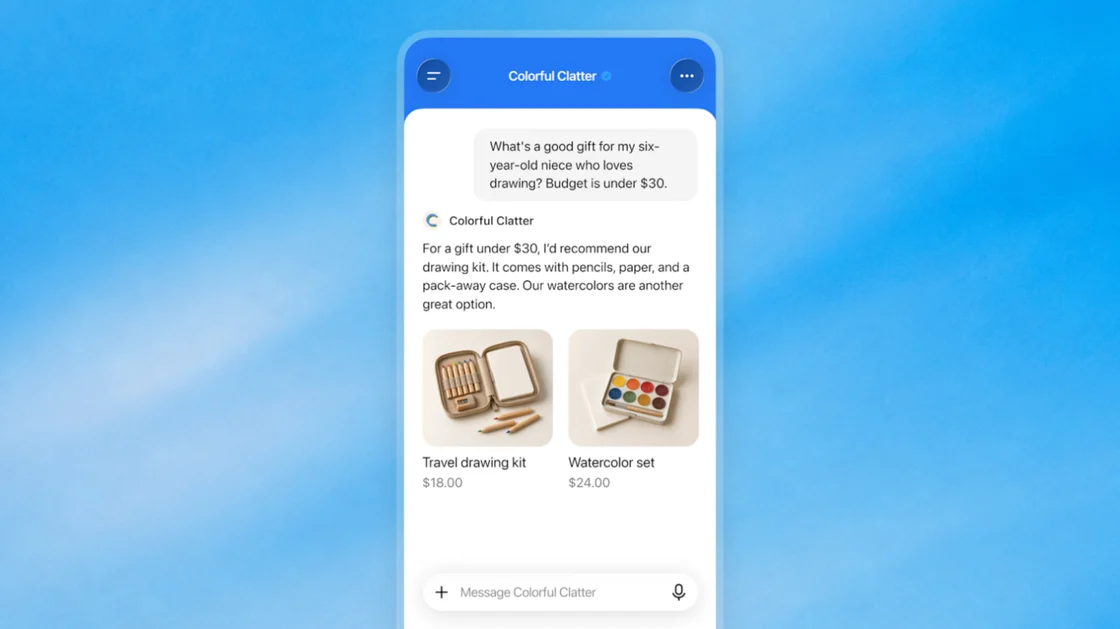
Read these numbers alongside Search Console
A mention without a click is not necessarily lost. Someone can see your name in a ChatGPT answer, then open Google and type it instead of clicking in the conversation. That visit then arrives as a search for your brand, not as a visit from ChatGPT. If you measure your AI visibility only by visits from ChatGPT, you may be underestimating it.
To check this for your own business, put the Business Hub mentions chart next to the searches for your name in Search Console, over the same 28 days. Read the result with caution: branded searches also rise with advertising, social media and word of mouth. Two lines that rise together for a month are a lead, not proof. It takes several months to conclude. Our comparison of AI visibility measurement tools describes what each source sees.
Is it a backlink, follow or nofollow?
No. A backlink counts for Google when Google can read the page that carries it. The profile is displayed inside the ChatGPT app. As of November 24, 2026, OpenAI documents no public address for a business profile. On OpenAI's forum, businesses that published theirs say they found no link to share. The chatgpt.com robots.txt file also closes every page it doesn't explicitly allow to crawlers.
So Google doesn't see the link to your website: whether it is follow or nofollow makes no difference to your SEO. The link's value is in the people who click, not in any authority it would pass. Those visits show up in GA4 like any others.
Does the profile help you get found?
Not directly. OpenAI's help page says claiming your profile doesn't guarantee increased visibility or give you direct control over ChatGPT's recommendations. Its product page adds that the profile guarantees neither higher placement nor sales. Advertising doesn't influence answers either.
The profile can still help indirectly. Accurate information lowers the risk that ChatGPT gets your prices, service area or policies wrong. The agent, for its part, can answer specific questions a general answer would leave out. What gets a business cited is still its website and what others say about it: pages that answer customer questions and information that matches everywhere. The steps are in How to improve your business's AI visibility.
What to write in your profile
OpenAI gives no writing advice, only rules: truthful, up-to-date information, no misleading claims about prices, availability or results, no fake reviews. Here is our advice, field by field.
A description that says what, for whom and where
In two or three sentences, say what you offer, to which customers and in which area, in the words your customers would use. "Manufacturer of aluminum doors and windows for Quebec contractors" helps ChatGPT more than a slogan.
The same information as everywhere else
ChatGPT can draw on sources other than your profile: OpenAI says so. If your website, Google Business Profile and directories say something else, the AI can repeat the error. Name, service area, phone number and offering should match everywhere.
The most precise category
Choose the category that describes what you sell, not your broad industry. It is the one shown under your name.
Exact policies
The free delivery threshold and the return window are shown prominently on the profile. The agent also uses them to answer. An outdated number can end up in an answer.
A sharp logo and a real photo
The cover photo shows your product, your team or your location. Only use images you have the rights to: OpenAI's policy requires it.
An up-to-date product feed
For a store, prices and availability come from the feed. On Shopify, you connect it from Business Hub or from the Shopify admin.
No promise you couldn't prove
OpenAI prohibits unsupported guarantees, promised results and fake reviews. Say clearly what you offer. Say carefully what the customer will get.
Review what ChatGPT prefilled
For the agent, ChatGPT fills in fields from your website. Compare them with your site before publishing: Search Engine Journal warns that ChatGPT can invent a detail, such as a service you don't offer.
Review every field before you submit. A profile created through Persona is published as soon as OpenAI approves it, and only a draft can be deleted. Use your business's legal name. Claim the profile with a company ChatGPT account rather than a personal one, then give your agency access if needed.
Claim your profile in four steps
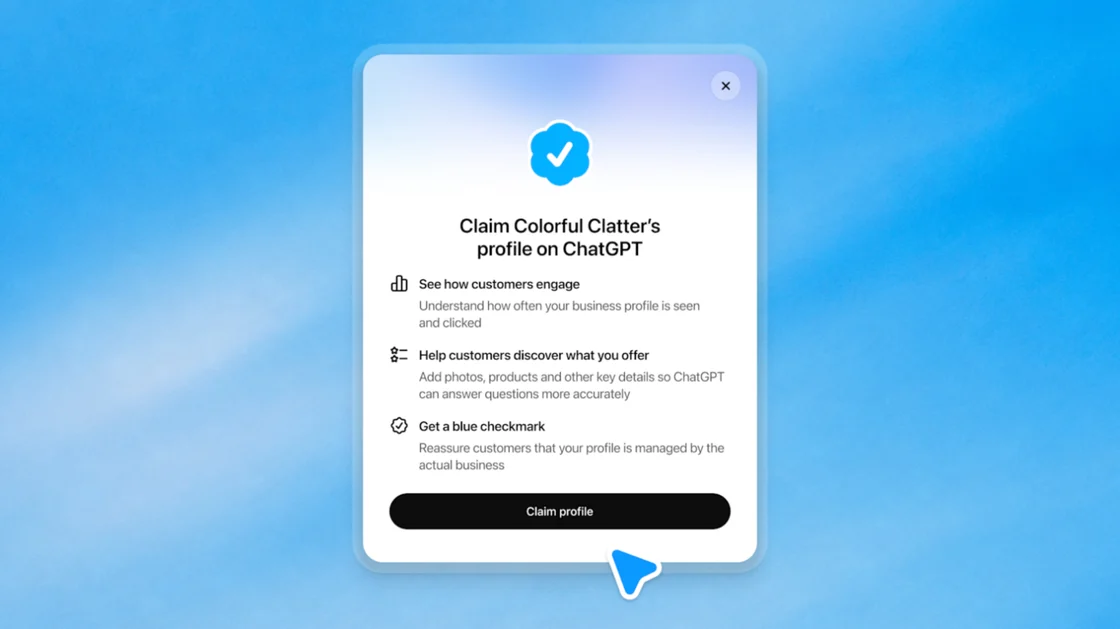
Search for your business
Open Business Hub from the ChatGPT sidebar, search for your business by name and pick the right listing.
Prove your connection to it
With a code sent to the business phone or email, a TXT record in your domain's DNS settings, or your Shopify store.
Wait for approval
OpenAI reviews the request and replies by email.
Verify your identity with Persona
Persona may ask for a government ID, the business registration and proof that you represent it. Without this step, you can't publish changes, view insights, connect a feed or create an agent.
Claiming a profile requires neither an Ads account nor a ChatGPT Enterprise agreement.
What OpenAI and experts say
OpenAI. Presenting the product to reporters, Benji Shomair, OpenAI's VP of monetization, said: "Think of the business agent as the organic experience," with the sponsored version as the paid one. According to Digiday, he also said claiming a business "should not have an impact on how frequently it appears."
Lily Ray, VP of SEO strategy and research at Amsive, calls the data "extremely valuable" because it comes from ChatGPT itself. She adds: "It's not going to replace any of the tools I'm using."
John Shehata, founder of NewzDash, calls it "a very early, very limited Search Console moment for ChatGPT." He draws the line that matters: "A citation is a visibility outcome. A visit is an audience outcome."
Barry Schwartz, of Search Engine Roundtable, still had no data in his Business Hub a week after launch. A small business should expect blank boxes for a while: a blank number doesn't mean zero.
If you want to know what ChatGPT and other AI tools say about your business, and what leads them to cite you, that is the work of our GEO agency.
Frequently asked questions
Does the ChatGPT profile give me a backlink?
No. The profile is displayed inside ChatGPT, with no public page Google could read. Whether the link to your website is follow or nofollow makes no difference to your SEO. Its value is in the visits.
Will claiming my profile help me show up more in ChatGPT?
Not directly. OpenAI says the profile guarantees neither more visibility nor higher placement. It corrects what ChatGPT knows about you and gives you your first numbers.
How much does it cost?
Claiming a profile requires neither an Ads account nor a ChatGPT Enterprise agreement. Advertising in ChatGPT is a separate product.
I have a store in Montreal. Why can't I claim my profile?
For now, local stores and restaurants can only claim an existing U.S. listing. Ecommerce and online service businesses in Canada can, since November 19, 2026.
Can my agency manage the profile for me?
Yes. The admin who claimed the profile can give an agency access, each person with their own ChatGPT account. Keep the admin role and access to your domain in-house.
- OpenAI, Introducing Businesses in ChatGPT, November 10, 2026, updated November 19, 2026, accessed November 24, 2026. Source for the OpenAI screenshots, the product's parts, the agent and its availability outside the U.S.
- OpenAI Help Center, Setting up your business on ChatGPT, accessed November 24, 2026. Source for the steps, Persona, fields, automatic publishing, mentions, local businesses and the lack of a visibility guarantee.
- OpenAI, Businesses in ChatGPT, accessed November 24, 2026. Source for the lack of a placement or sales guarantee.
- OpenAI, Businesses in ChatGPT policy, November 10, 2026, accessed November 24, 2026. Source for the rules on accuracy, claims, reviews and image rights.
- OpenAI Developer Community, Businesses in ChatGPT: Published Profile Not Showing in Search + Ownership Issues, November 16, 2026. Source for the report that a profile has no public link.
- OpenAI, chatgpt.com robots.txt, accessed November 24, 2026.
- Krystal Scanlon, Digiday, OpenAI's new business agents give brands a free way into the conversation, November 10, 2026. Source for Benji Shomair's remarks.
- Sara Guaglione, Digiday, ChatGPT's new Business Hub is an early Search Console moment for publishers, November 19, 2026. Source for Lily Ray's and John Shehata's remarks.
- Vahan Petrosyan, Search Engine Journal, How to Submit Your Website to ChatGPT Business Hub, updated November 23, 2026. Source for the advice to review text prefilled by ChatGPT.
- Barry Schwartz, Search Engine Roundtable, Businesses in ChatGPT Business Hub Live With Click Data, November 10, 2026. Source for the click tooltip.
- Barry Schwartz, Search Engine Roundtable, OpenAI Drops UTM Parameters From ChatGPT Results (GPT-6), October 14, 2026, updated October 15, 2026. Source for the return of the utm_source=chatgpt.com parameter.
Gabriel almost always takes your first call and carries out your audit. He builds the strategy starting from your growth goal: where to put your budget, which market to test and how to connect each lead to a real sale in your CRM. He mainly leads engagements for three goals: Optimize the profitability of your digital campaigns, Develop a new market, and Generate demand and growth. With Geneviève, he also works on organic search (SEO), AI visibility (GEO) and conversion rate optimization (CRO). The sales a Google Ads or Meta Ads campaign brings in depend on the page that receives the click. He writes mainly about marketing strategy, paid advertising and measurement.
About Falia → Strategy
 SEO
 Paid advertising
 Conversion
 AI visibility
 Web design